
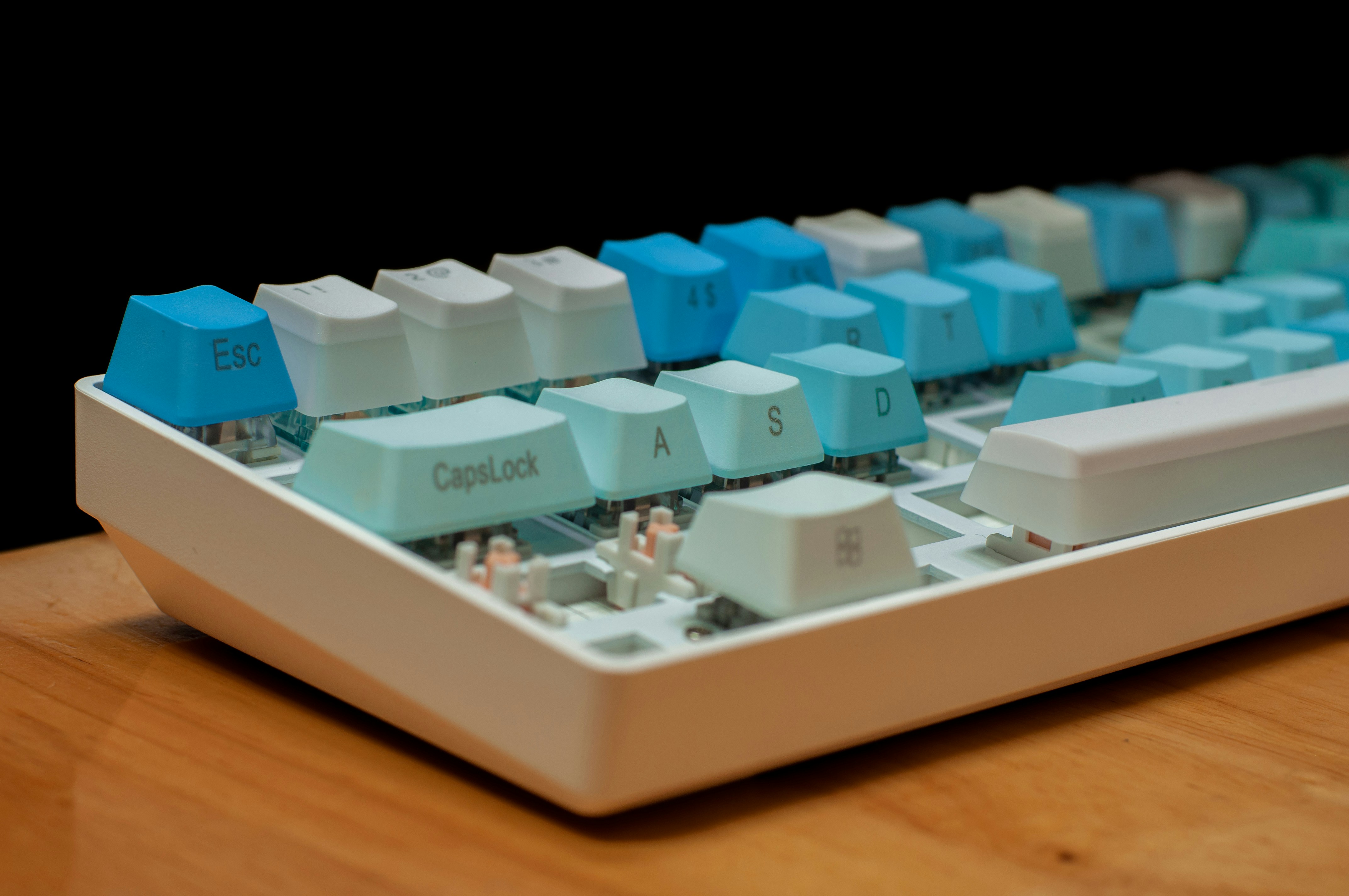
Understanding how a mechanical keyboard works
Understanding how a mechanical keyboard works begins with the parts beneath its key caps. Each visible key cap sits on a separate switch, while a printed circuit board (PCB), controller, and case support the keyboard’s operation. These components work together to turn a physical press into a signal that a computer can recognize. The case holds the assembly in place and helps protect its internal parts; depending on its design, it can also affect the keyboard’s sound and feel.
When a finger presses a key, the keycap moves downward and transfers that force to the switch below it. Inside the switch, a moving stem actuates a mechanism that closes an electrical contact. The switch’s design determines characteristics such as travel distance, resistance, and whether the press produces an audible click. Once the contact closes, the PCB provides the electrical pathway for the resulting signal. It connects the switches to the keyboard’s controller, allowing signals from different keys to reach the same processing component.
. In this way, the PCB carries signals, while the controller interprets them and communicates the result. Together, they coordinate the individual switches without requiring a separate cable for every key.
This arrangement distinguishes a mechanical model from a typical membrane keyboard. A membrane design generally uses layers of flexible material and shared pressure-sensitive circuits beneath the keys. Pressing a key pushes those layers together to complete a circuit. A mechanical keyboard instead has an individual switch for each key, so each press activates its own mechanism.The case, PCB, controller, switches, and keycaps therefore form a system in which each part has a specific role in registering a keystroke.
To understand how a mechanical keyboard works, follow one key from rest to release. Beneath the keycap, a stem sits inside a switch housing, with a spring providing resistance and helping the key return upward. When you press the key, the keycap pushes the stem down. The spring compresses as the stem travels, creating the force and movement you feel beneath your finger.
At a point along that downward movement, the switch’s conductive components connect. In many designs, metal contacts meet and close an electrical circuit; the keyboard’s controller detects the resulting signal and registers a keypress. The exact mechanism can differ among switch designs, so not every switch uses identical internal parts or contact arrangements. Both measurements vary by switch.
A linear switch generally moves smoothly through its travel without a pronounced bump, and is often quieter than a clicky design, though the keyboard and key cap can affect sound. A tactile switch provides a noticeable bump during the press, giving feedback that the actuation point is near. A click switch adds an audible click, often through a mechanism designed to produce a distinct sound as the switch moves. These categories describe typical experiences rather than a single universal construction.
When you release the key, the compressed spring pushes the stem back toward its resting position. As the stem rises, the switch’s contacts separate, opening the circuit and ending the signal. This return motion resets the switch for another press. The combination of spring force, travel, actuation, and feedback is what gives each mechanical switch its particular typing character.
Once a mechanical switch closes, it completes an electrical circuit beneath the key. The change reaches the keyboard’s printed circuit board (PCB), which provides the pathways connecting switches to the controller. Rather than treating every switch as a separate wire, most keyboards arrange keys in a matrix of rows and columns. This design reduces wiring while allowing the keyboard to identify individual presses. It is one important part of understanding how a mechanical keyboard works, from the switch down to the signal sent to a computer.
The microcontroller checks the matrix repeatedly, a process called scanning. For example, if a switch connects the second row and fourth column, the controller can identify the corresponding key at that intersection. The keyboard’s firmware then uses the matrix position to determine which key the switch represents.. Diodes, small components fitted with switches in many keyboard designs, allow current to flow in one direction and help isolate each key’s signal. As a result, the controller can distinguish more combinations accurately. Another concern is contact bounce: when metal contacts meet, they may briefly make and break the circuit several times.
After identifying a key, the controller sends a code to the connected computer, typically over USB or a wireless connection. The computer interprets it using the active keyboard layout, operating system settings, and application. A key may therefore produce different characters under different layouts, or trigger an action when combined with modifiers such as Shift or Ctrl. The full path—from switch closure, through matrix scanning and signal filtering, to software interpretation—explains how a press becomes the character or command a user sees.
When a typist lifts a finger, the key switch returns to its resting position and its electrical contacts separate, opening the circuit. The keyboard’s controller detects that change and sends a key-release event to the computer. In understanding how a mechanical keyboard works, it helps to view each keystroke as a small sequence: the switch closes the circuit on depression, then opens it again on release. The controller and firmware interpret these transitions and report them to the operating system.
Rollover describes how many simultaneous keypresses a keyboard can register. Ordinary multi-key rollover supports a limited number of concurrent keys, though the precise limit and combinations vary by model. This can be useful for fast typing, shortcuts, or games that require several keys together. Rollover is not the same as responsiveness: it concerns recognition of concurrent inputs, while responsiveness also depends on switch behavior, scanning, firmware processing, and communication with the computer.
The typing experience comes from the complete design, not one component. Switch type and spring weight influence the force, travel, and feedback of each press; housing materials and internal construction can affect sound and stability. Keycaps, including their shape and material, also change acoustics and the feel under the fingers. However, two products described as mechanical may feel and behave quite differently. Their rollover, sound, responsiveness, and lifespan depend on the particular switches, controller, firmware, construction, and keycaps used—not on the word “mechanical” alone.