

The Hidden Science of Thermal Paste
If you look at a computer processor and a metal heat sink, both surfaces seem perfectly flat and smooth. However, under a microscope, that metal is actually covered in tiny scratches and microscopic valleys. When you press these two parts together, those invisible imperfections trap tiny pockets of air. Because air is a terrible conductor of heat, those trapped bubbles act like an invisible blanket that causes your computer to instantly overheat. Thermal compound, also known as thermal paste or CPU grease, is a special highly conductive material designed specifically to fill in every single microscopic air gap. By pushing the insulating air out, this paste creates a seamless bridge that allows massive amounts of heat to flow safely away from your expensive hardware.
Choosing the Right Conductive Material
Not all thermal pastes are created equal, and they rely on different ingredients to get the job done efficiently. Metal based compounds often use tiny particles of silver or copper to deliver the absolute best heat transfer possible. These are perfect for high performance tasks like intense gaming or heavy video rendering. On the other hand, ceramic based pastes are extremely popular because they do not conduct electricity. This makes them incredibly safe and easy to apply for beginners, as an accidental spill on the motherboard will not cause a short circuit or any electrical damage to your system.
The Perfect Application Technique
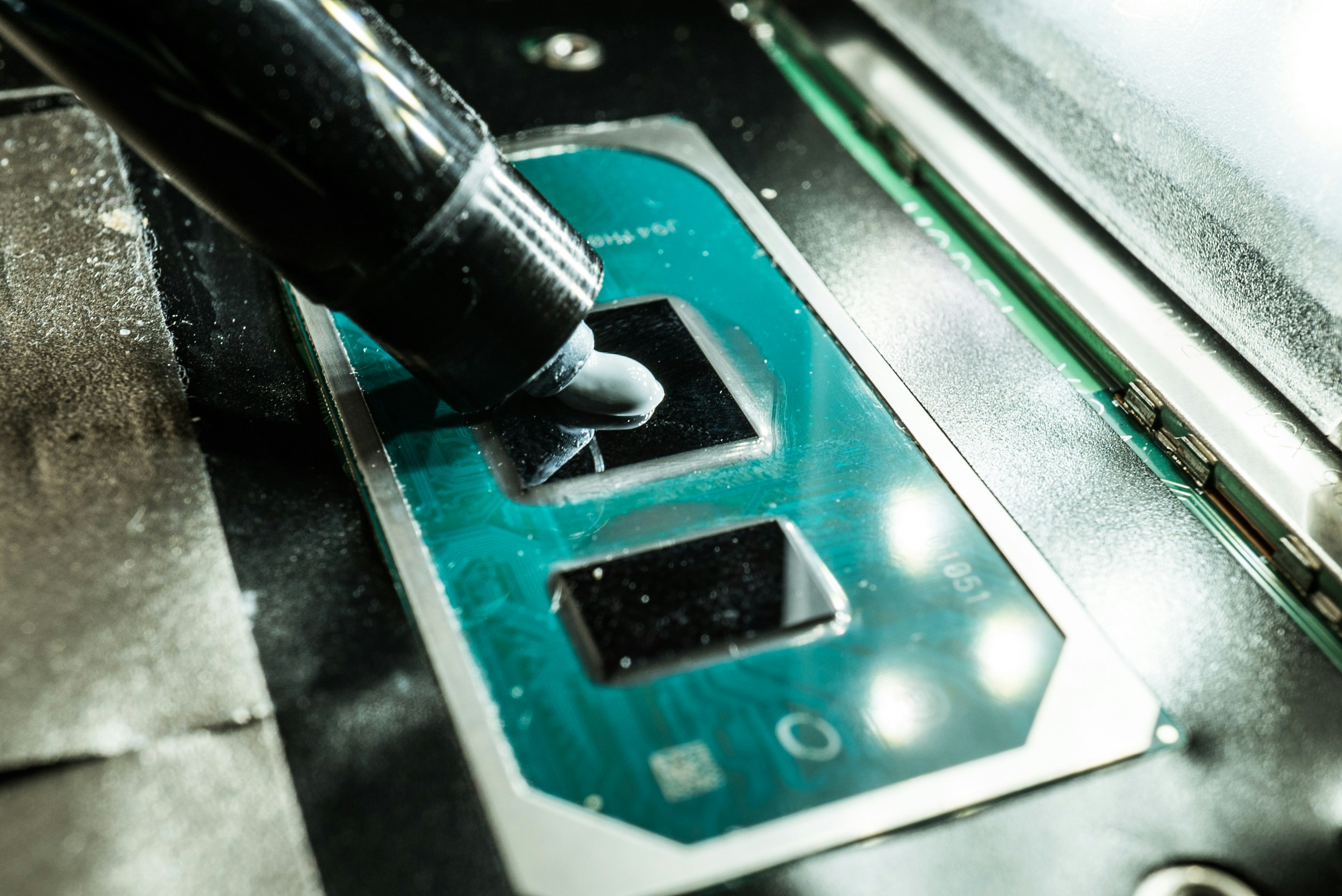
Applying thermal paste is a delicate balancing act because using too much is just as bad as using too little. Before you apply anything new, you always need to clean the metal surfaces completely using isopropyl alcohol and a lint free cloth to remove old crusty residue and finger oils. Once the metal is completely clean, simply place a small dot of paste roughly the size of a pea right in the center of the processor. You do not need to spread it manually. When you screw the heavy metal cooler down, that physical pressure will naturally spread the compound into a perfectly thin and even layer across the entire chip.
When to Replace Your Paste
Over time, the constant cycle of extreme heat and cooling causes thermal paste to dry out, turn crusty, and lose its ability to transfer heat. You will usually notice this happening when your computer fans constantly sound like a jet engine, or when your system suddenly slows down to prevent itself from melting. If your computer randomly shuts off during heavy tasks, degraded paste is likely the culprit. As a general rule for good PC maintenance, opening your case to clean the chip and apply a fresh pea sized drop of paste every two to three years will keep your processor running at peak speeds.