
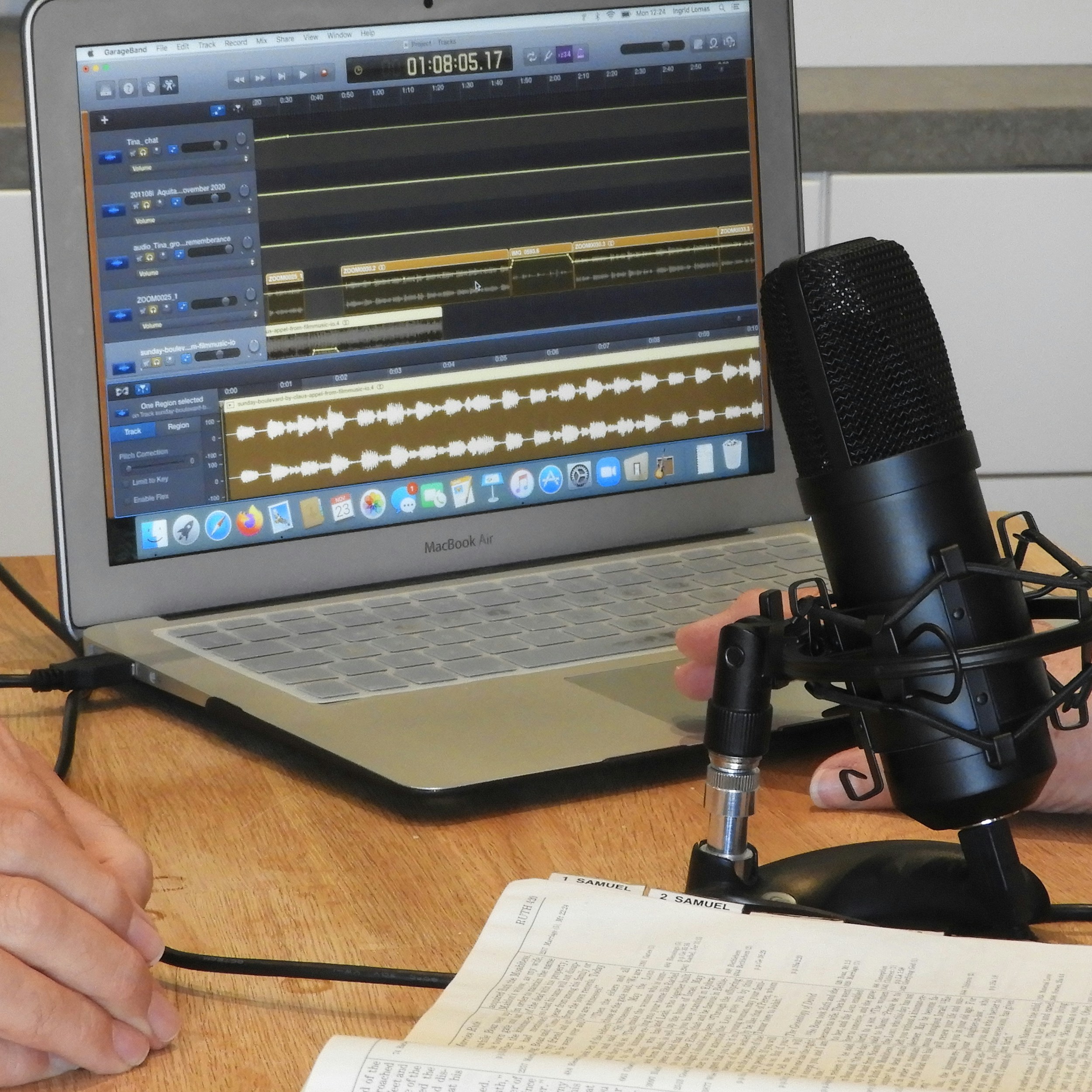
Introduction to Vocal Recording Software
Vocal recording software is an essential component in the sphere of music production, providing users with the tools necessary to capture high-quality audio. These software solutions are designed to facilitate the recording process, allowing musicians, podcasters, and voice-over artists to produce professional-level work from the comfort of their own homes or studios. The significance of vocal recording software cannot be understated, as it enhances the overall quality and clarity of vocal tracks, making it a vital asset for any audio project.
Typically, vocal recording software comes equipped with a variety of features that cater to diverse recording needs. Key capabilities often include multi-track recording, which enables users to layer different vocal takes or combine vocals with instrumental tracks seamlessly. Additionally, audio editing tools, such as trimming, fading, and pitch correction, help refine the recorded material, ensuring that the final product is polished and free from imperfections. The integration of effects, such as reverb and compression, further enhances vocal recordings, allowing for a more engaging listening experience.
User interface design plays a critical role as well; intuitive layouts can significantly improve workflow, making the process smoother for both novice and experienced users. This versatility is what sets vocal recording software apart, appealing not only to professional musicians but also to amateur creators who wish to experiment with their vocal recordings. From solo artists to content creators and educators, there is a broad spectrum of individuals who can benefit from utilizing these tailored software programs, ultimately advancing their recording capabilities and enhancing their artistry.
Criteria for Choosing the Best Vocal Recording Software
When selecting vocal recording software, several critical factors merit consideration to ensure high-quality recordings. First and foremost, compatibility with various operating systems is essential. Users must ensure that the software can seamlessly operate on their preferred platform, whether it be Windows, macOS, or even Linux. This compatibility plays a significant role in providing an unobstructed workflow.
Next, ease of use cannot be overlooked. The best vocal recording software should have an intuitive interface that allows users to navigate the functions effortlessly. Especially for beginners, complicated layouts can hinder the creative process, while well-designed software can foster a more productive recording experience.
Sound quality is another paramount criterion. The top best vocal recording software should be capable of capturing high-definition audio with minimal latency and noise interference. Features such as 24-bit/96 kHz recording capability are indicators of software that prioritizes sound clarity.
Built-in features are also worth considering. Many users benefit from having access to virtual instruments, presets, and effects within the software. These features can significantly enhance vocal recordings and provide a richer sound palette to work with. Additionally, assess the level of customer support offered by the software provider. Whether it’s through detailed documentation, video tutorials, or responsive help desks, good customer support can greatly enhance user satisfaction.
Lastly, pricing is an important factor. While some may gravitate toward free options to start their journey, others may prefer investing in premium software that offers more advanced features and robust support. Weighing all these criteria ensures that users can choose the most suitable vocal recording software that aligns with their unique requirements and aspirations.
Top Recommendations for Vocal Recording Software
When it comes to vocal recording software, a myriad of options exists to meet various needs and preferences. Below is a curated list of the top ten best vocal recording programs that stand out in the industry, catering to both budding musicians and seasoned audio professionals.
1. Audacity: A popular choice for beginners, Audacity is a free, open-source software that offers a comprehensive suite of features for vocal recording. Users appreciate its user-friendly interface, extensive plugins, and multi-track editing capabilities. However, its limited advanced features may not suit professional users.
2. GarageBand: For Mac users, GarageBand serves as a fantastic entry-level software with powerful recording tools. It includes a variety of virtual instruments, loops, and effects, making it an excellent choice for producing high-quality vocal tracks, though it lacks support for VST plugins.
3. FL Studio: Known for its intuitive workflow, FL Studio provides advanced features for vocal recording and mixing. The software is perfect for electronic music producers and singers alike, offering a wide range of effects and instruments but may present a steep learning curve for new users.
4. Pro Tools: A standard in the industry, Pro Tools is praised for its professional-grade capabilities in vocal recording and audio editing. While it requires a significant investment, its powerful features justify the cost for serious musicians.
5. Logic Pro X: Another Mac-exclusive, Logic Pro X, is favored for its seamless integration with MIDI and audio production features. It boasts an extensive library of sounds and loops, though it may be overly complex for beginners.
6. Adobe Audition: With professional-grade tools for editing and mixing, Adobe Audition is ideal for those who prioritize vocal clarity. While it utilizes a subscription model, its extensive capabilities and integration with other Adobe products can be advantageous for content creators.
7. Reason: Known for its unique rack-based workflow, Reason offers extensive effects and instruments that enhance vocal recording. The learning curve can be steep, but its creativity potential makes it a favorite among advanced users.
8. Reaper: Offering a robust feature set at an affordable price, Reaper allows for unlimited track recording and excellent customizability. It has a supportive community, but new users may find navigating its features challenging.
9. Cubase: This software is known for its powerful MIDI capabilities and extensive audio editing features, making it perfect for music creators. Although it comes with a higher price tag, many consider it worth the investment for professional use.
10. Studio One: With its drag-and-drop functionality and intuitive design, Studio One stands out in the vocal recording software category. It combines recording, sequencing, and mixing capabilities, though it may lack some of the extensive features found in competitors.
In conclusion, these top best vocal recording software options offer a diverse range, catering to different levels of expertise and specific needs. Whether working with a limited budget or seeking advanced tools, there is a suitable choice for everyone in this list.
Tips for Getting the Most Out of Your Vocal Recording Software
To enhance your experience with vocal recording software and produce high-quality recordings, it is crucial to optimize your setup and techniques systematically. First and foremost, creating an effective home studio can dramatically influence your vocal recording results. Select a quiet space with minimal ambient noise and consider soundproofing your room using blankets, foam panels, or other acoustic treatments to eliminate unwanted echoes and reverberations.
Next, ensure that you invest in quality microphones and audio interfaces, as these components have a significant impact on sound quality. Using a condenser microphone can often yield better results for vocal recordings than dynamic ones. Additionally, position your microphone correctly—ideally, maintain a distance of 6 to 12 inches from your mouth to avoid plosive sounds and ensure clarity.
Your chosen vocal recording software likely includes various built-in features designed to enhance your recordings. Familiarize yourself with these functionalities; for instance, utilizing equalization (EQ) allows you to adjust the frequency balance of your recordings, improving the overall tonal quality. Compression can help control dynamic range by smoothing out variations in volume. Experiment with these tools to find the settings that work best for your desired sound.
Learning effective recording techniques can also enhance the quality of your work. Record multiple takes and select the best portions to combine into a polished final product. In addition, consider joining online communities or forums focused on vocal recording software where you can exchange tips with fellow enthusiasts and seek guidance. There are also countless tutorials available, both free and paid, that can help you deepen your understanding of your software and improve your skill set.
By implementing these practical tips and leveraging the resources available to you, you can maximize the potential of your vocal recording software and achieve the top best sound quality for your projects.